
Language
Switch the whole app between English and العربية (Arabic) instantly.
Changing language
- Tap the More tab
- Scroll to the Language card
- Tap English or العربية
The app switches immediately — no restart needed.
What changes
- All labels, buttons, and messages
- Form field names
- Date and time display (month abbreviations etc.)
- Text direction:
- English — left to right (LTR)
- العربية — right to left (RTL). The entire layout mirrors: back arrows, chevrons, sidebars, margins.
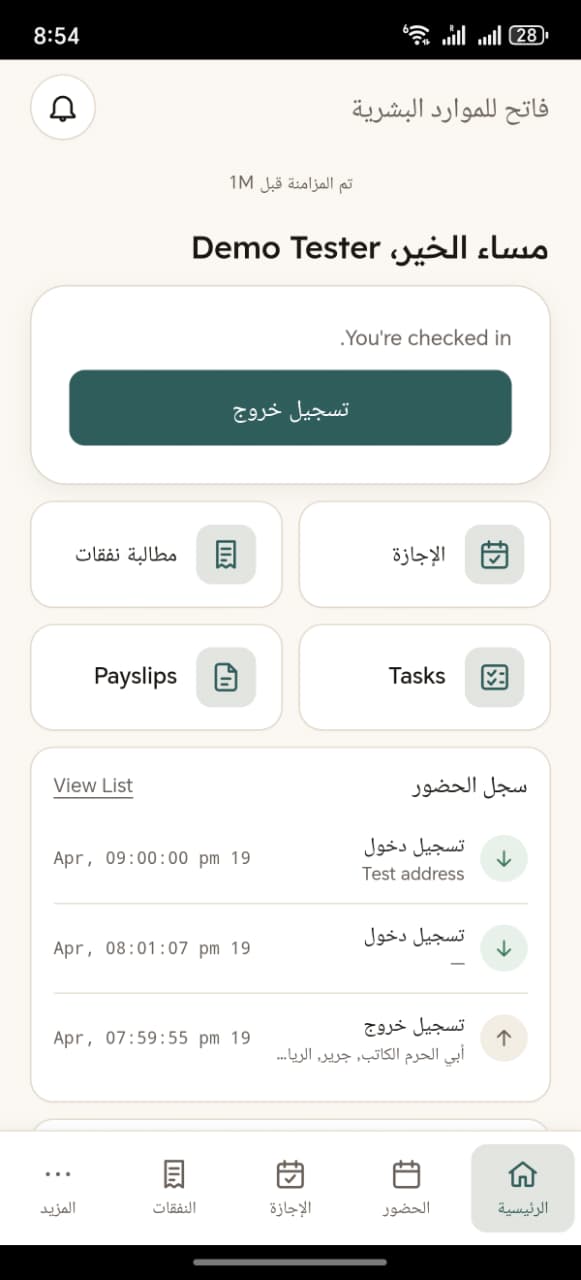
What doesn't change
- Your data (names, addresses, descriptions) — those stay in whatever language they were entered in
- Company name / branding
- System-generated IDs (employee code, payslip name)
Per-device setting
The language choice is saved on your device. Each phone / browser remembers its own preference. Logging out doesn't reset it.